
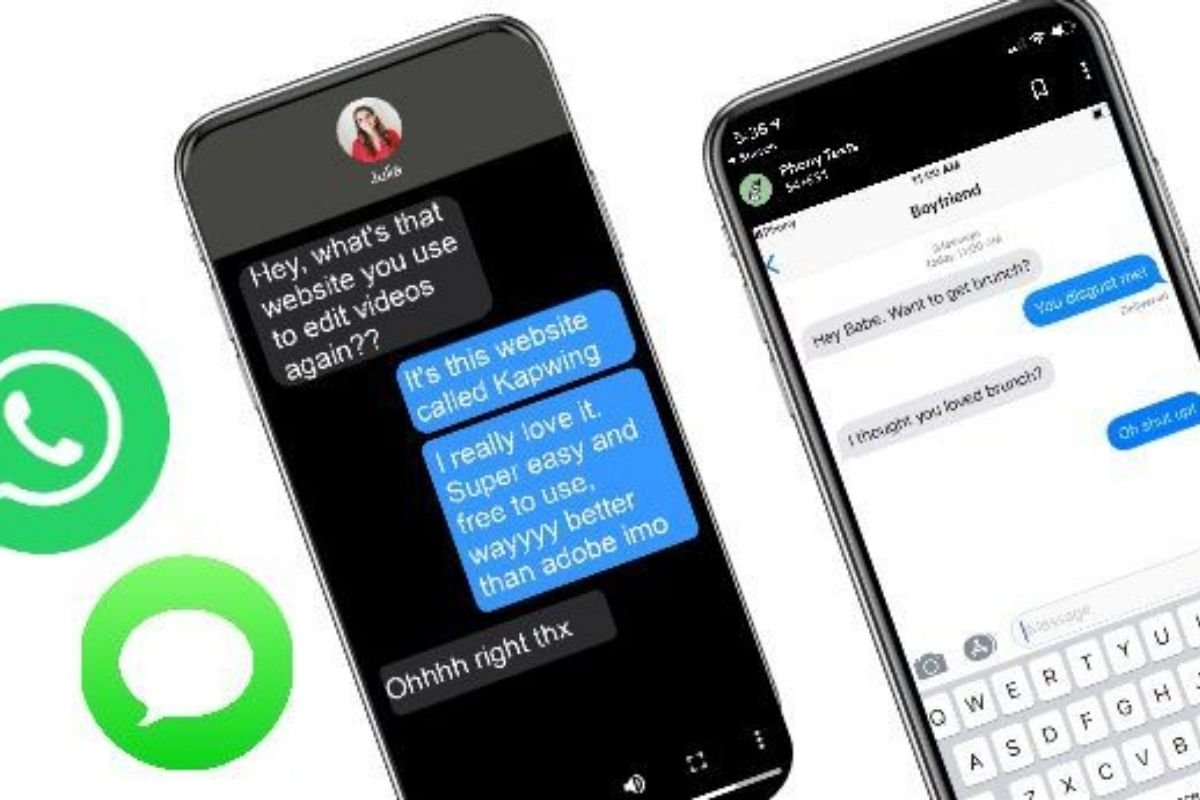
The modern close-up has changed. It is no longer just a trembling hand on a doorknob or a teardrop catching light. Sometimes the whole plot turns on a thumb hovering above “Send,” and the audience needs to read what’s on-screen without feeling like they’re watching a prop.
Text-message scenes look effortless when they work. When they don’t, they pull focus in an instant. Fonts are off. Timing feels wrong. Bubbles float in the wrong direction. A character’s “delivered” appears when it should be “read,” or worse, the thread looks like a generic chat app that happens to be blue.
If you’re making a film, a short, a web series, or even a proof-of-concept, getting iMessage right is a small craft problem with big storytelling consequences. Here’s a practical way to approach it, from early script choices to postproduction polish, while keeping one eye on the fact that fake screenshots are now trivially easy to generate.
Start with story intent, not layout
Before you think about bubbles and timestamps, decide what the scene is doing.
- Exposition: Are you dumping backstory quickly? If yes, you need readability and pacing more than hyper-real detail.
- Tension: Is the scene about waiting? Then “typing…” and the gaps between messages are the main character.
- Character: Is the point how someone writes (too many ellipses, no punctuation, a suspiciously formal “Okay.”)? Then preserve their voice, and don’t let the graphic design steal it.
A small rewrite can eliminate painful production problems. For example, if you need the audience to read eight lines of text, consider splitting it across two beats: one set of messages while the character walks to the kitchen, another after a sip of water. Your editor will thank you, and your viewers won’t feel like they’re cramming for an exam.
Decide how the texts will appear: practical, composited, or hybrid
There are three common approaches, each with trade-offs.
1) Practical phone screen (filming the device)
This can feel “real” fast, but it is fussy.
- Pros: Natural reflections, authentic hand interaction, no need to track screen replacements.
- Cons: Flicker, moiré, exposure shifts, notification pop-ups, and continuity headaches.
If you go practical, lock down your settings. Match refresh rate and shutter angle to reduce flicker. Keep brightness consistent across takes. Put the phone in airplane mode, and build a checklist so you never roll camera with an unread email banner parked at the top of frame.
2) Screen replacement / compositing (the clean solution)
Here you film a blank or controlled screen and insert the iMessage UI later.
- Pros: Perfect readability, controllable timing, easier continuity.
- Cons: Requires tracking, matching grain, and getting “too perfect” if you’re not careful.
The secret is imperfection: slight parallax, subtle glare, a touch of noise. Real phone footage is rarely pristine.
3) Hybrid (practical base with composited message bubbles)
Many productions land here: shoot the phone in-hand for realism, then overlay text elements in post to fix timing, spelling, or story beats.
If your actor’s thumb lands a little early, you can still make the bubble appear exactly when it needs to. And if your director changes a line of dialogue in the edit, you are not reshooting an entire insert day for one typo.
Build the conversation like a prop, not like a screenshot
Props are designed, not merely produced. Treat the chat thread the same way.
Get specific about the “thread history”
Even if the audience only sees ten seconds, a believable thread usually has a sense of life outside the frame. A few simple choices help:
- A contact name that fits the relationship (“Mom” vs. “Mother” vs. “Linda (Landlord)”).
- A realistic amount of older messages visible above the key moment.
- One unimportant message that anchors the tone (“On my way” from earlier) so the dramatic line doesn’t look manufactured.
Use time like a storyteller
Texting is rhythm. If every message arrives instantly, it reads like a script, not a conversation.
Add:
- Short delays.
- A double-text when someone spirals.
- An unsent thought (a start, then nothing) if your format allows it through performance rather than UI.
Even one strategically placed pause can sell the whole scene.
Keep “production logic” consistent
If your character is in a basement with no signal, the thread should not show instant delivery and quick replies. If the character is driving, maybe they use voice-to-text and the punctuation looks odd. Tiny constraints create authenticity.
Mockups: fast, flexible, and dangerous in the wrong context
For preproduction, mockups are a gift. Directors can storyboard message beats, producers can plan insert coverage, and editors can time the reveal. Tools that generate a fake iMessage screenshot are popular for a reason: you can draft a convincing thread in minutes, revise it, and share it with the team without opening a design app.
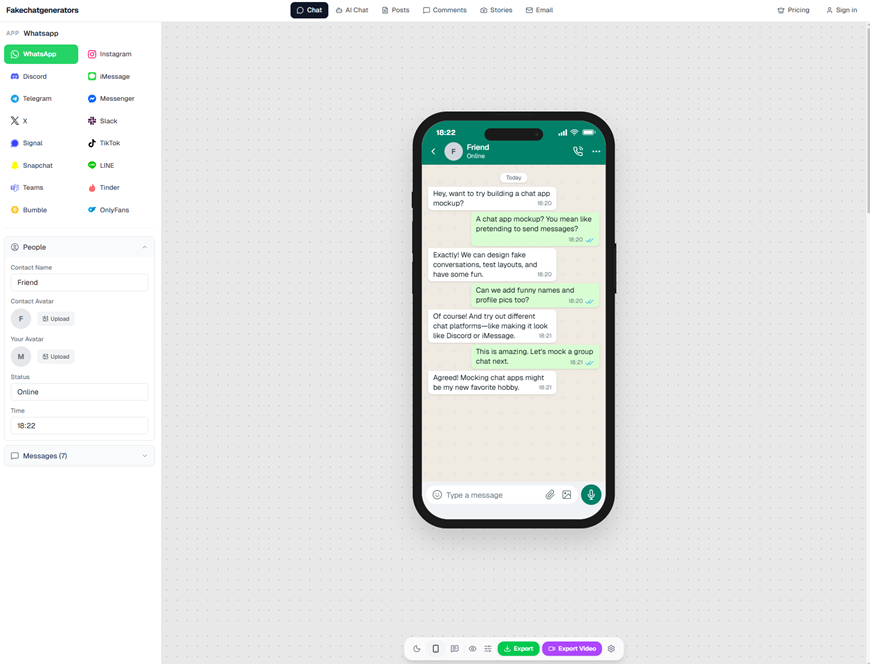
fakechatgenerators.com lets you mock up chat screenshots across 16 platforms
Just be clear internally about intent. On a film set, these are props and planning materials. Outside that context, similar images can be used as “evidence” in a way that harms real people. A simple labeling habit helps: keep mockups in a clearly named folder, include project identifiers in filenames, and avoid exporting anything that could be confused for a real allegation if it leaks.
The details audiences notice (even if they can’t name them)
You do not need to replicate iOS down to the pixel to make a scene feel true. But certain cues are loud.
Typography and spacing
If your bubbles feel too roomy or too tight, people sense it immediately. Avoid “close enough” fonts. If you are building in post, use accurate font choices and consistent line spacing. Bad kerning can scream “graphic.”
Bubble logic
Know who is blue and who is gray. Make sure the correct side speaks. Watch for:
- Sudden switching of bubble color.
- Replies that appear above the message they respond to (unless you are intentionally using a newer reply feature and it’s obvious).
- Timestamps that do not match the scene’s time of day.
Read receipts and status markers
“Delivered” vs. “Read” is a plot point in many stories now. Decide early which it is. Same for “typing…” and “Do Not Disturb.” These are emotional levers, not decoration.
Battery, time, and signal
If the phone says 3:12 PM in one shot and 9:48 in the next, you just created a continuity problem the audience can feel. If you’re compositing, lock the status bar. If you’re filming practical, photograph your “hero screen” reference so you can reset it.
Shooting iMessage inserts that cut cleanly
Insert shots live and die by clarity. A few production tricks:
- Shoot a touch wider than you think, then punch in during edit. It gives you reframing options when the message appears.
- Give the actor a physical cue (a vibration setting, a timed audio cue, or a second PA calling beats) so their reactions land with the text timing.
- Capture multiple versions of the same beat: one take where the phone is perfectly readable, another where it is slightly angled with reflections for realism. You may want both.
If the scene is emotional, don’t let the insert become a sterile diagram. A little hand tremor, a smudged screen, a tiny refocus, these are cinematic language.
Postproduction polish: match the world you shot
Composited text should inherit the scene’s DNA.
- Match grain/noise to the camera.
- Match white balance to the environment.
- Add subtle screen glare that responds to movement.
- Keep motion blur consistent when the phone tilts.
Also: let the text breathe. If you slam a full-screen overlay for too long, it can feel like a commercial graphic. If you cut away too fast, viewers miss the plot. The sweet spot often comes from testing your cut on someone who has not read the script.
Authentic-looking, not misleading: a quick ethics check
Because fake chats are so easy to make, audiences (and platforms) are increasingly suspicious. If you are distributing your film online, especially as short-form clips, consider how your iMessage scenes might be extracted and misunderstood.
Some teams now run promotional stills and social assets through an ai image detector or other verification checks, partly to catch accidental issues (like an overly “perfect” composite or manipulated document elements) before a clip gets flagged or questioned. Even if you are not doing anything unethical, trust is fragile, and misunderstandings travel fast.
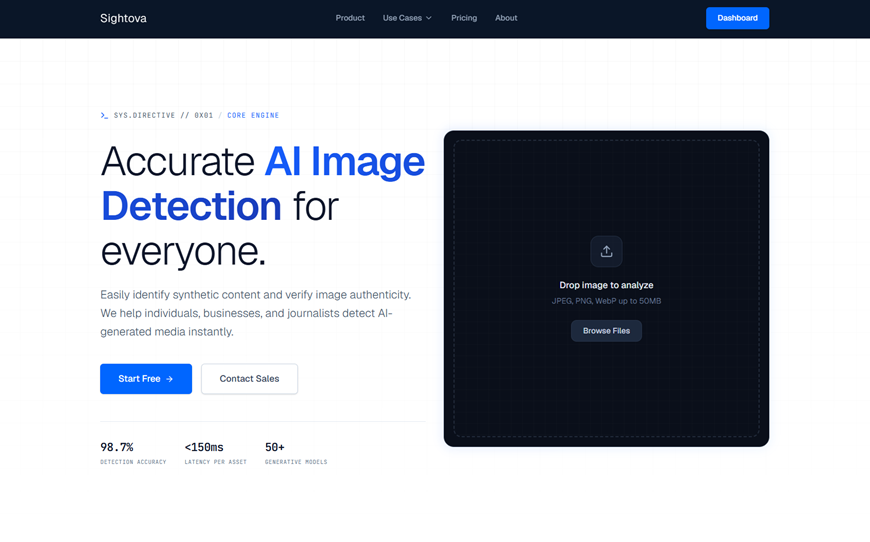
sightova.com flags AI-generated, tampered, NSFW, and violent imagery in milliseconds
A simple safeguard: if you post a clip that includes a fabricated conversation, include context in the caption or surrounding content so it is clearly part of a narrative work.
A final practical takeaway
The best iMessage scenes are not built out of perfect bubbles. They are built out of intention. Decide what the audience must understand, design the conversation as a prop with history and rhythm, then choose the technical path that preserves performance.
If you do it right, nobody will compliment your on-screen texts. They will just lean forward, read, and feel the moment land. That is the goal.
